



Genuine TV Remote Controls
Replace a lost or broken remote with a brand-new, genuine one from Samsung, Hisense or Sony, the same type that came with your TV. Genuine remotes work straight out of the box with no code programming, and smart buttons, voice and solar charging work as they should. Choose your brand to search its compatibility guide by TV model: Samsung TV remotes, Hisense TV remotes or Sony BRAVIA TV remotes.


Samsung TV Remotes
Brand-new genuine Samsung TV remotes, including SolarCell, voice and The Frame remotes.
Shop all


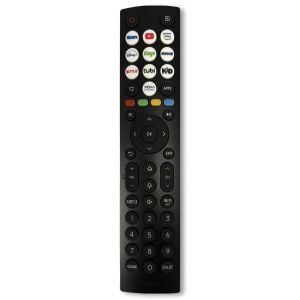
Hisense TV Remotes
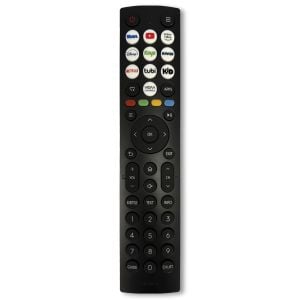
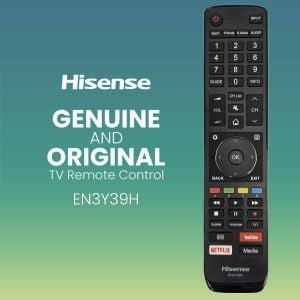
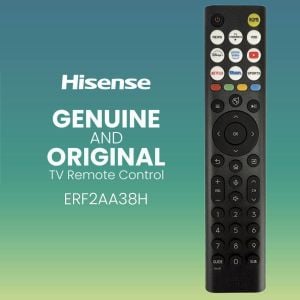
Brand-new genuine Hisense TV remotes, including voice and solar models.
Shop all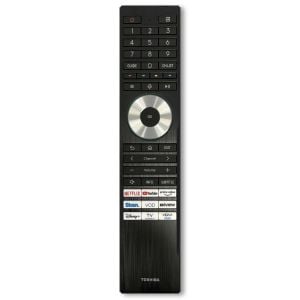
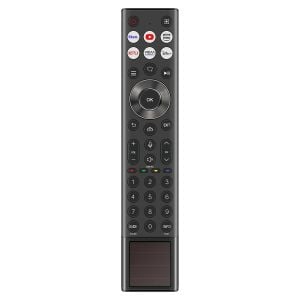


Sony TV Remotes
Brand-new genuine Sony BRAVIA TV remotes, including voice and rechargeable models.
Shop all


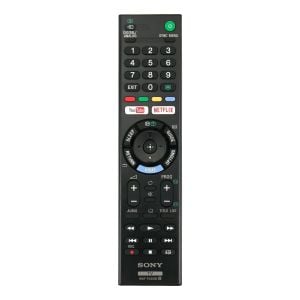
How to find the right TV remote
- Check your old remote. The model number is printed on the remote, often on the front or back or inside the battery cover.
- No old remote? Use your TV model. It is on the label on the back of the TV and in the TV's settings menu, usually under Support or About.
- Search your brand's guide. Each brand page has a search box that matches your TV or remote model number to the right genuine remote.
| Brand | Remote numbers look like | TV models look like | Compatibility guide |
|---|---|---|---|
| Samsung | BN59-01432D, BN59-01480K, AA59-00508A | QA65Q60CAWXXY, UA55MU7000WXXY | Samsung TV remotes |
| Hisense | ERF3G80H, EN2AC36H, part numbers such as T402121 | 65U7NAU, 55A7HAU | Hisense TV remotes |
| Sony | RMF-TX500P, RMT-TX300E, part numbers such as 1-493-555-12 | KD-65X8500G, XR-65A80L | Sony TV remotes |
Only genuine, brand-new remotes. Every remote we sell is an original Samsung, Hisense or Sony remote, the same type supplied with the TV. No copies, no refurbished units and no universal remotes, so there are no codes to program.
TV remote features explained
- Solar and USB charging: Samsung SolarCell remotes such as the BN59-01432D, Hisense solar remotes such as the ERF6D66H and the USB rechargeable Sony RMF-TX920U need no batteries.
- Voice control: press the microphone button to search for shows or change settings by voice, as on the Samsung BN59-01330C, Hisense ERF2R38H and Sony RMF-TX810U.
- Bluetooth and Smart Touch: these remotes talk to the TV by Bluetooth, so you do not need to point them at the screen. Pair them once with the TV.
- Streaming app buttons: one-touch buttons for apps such as Netflix, Prime Video and YouTube.
TV remote FAQs
Are your TV remotes genuine and brand new?
Yes. We only sell original, brand-new Samsung, Hisense and Sony remotes, the same type supplied with the TV. They are not copies, refurbished units or universal remotes.
How do I know which remote my TV needs?
Match the model number printed on your old remote, or look up your TV's model number on the label on the back of the TV or in its settings menu (usually under Support or About). Then search for it in the compatibility guide for your brand: Samsung, Hisense or Sony.
Do I need to program a genuine replacement remote?
No code programming is needed. Battery remotes work as soon as the batteries go in. Bluetooth and voice remotes need a one-time pairing with the TV so the voice and smart features work, which takes a few seconds.
Is a genuine remote better than a universal remote?
A genuine remote has the exact button layout of your TV, works without code setup, and keeps features such as voice, Bluetooth, streaming app buttons and solar charging. Universal remotes usually need setting up with codes and often cannot use voice or Bluetooth smart features.
Can I control my TV with my phone while I wait for the new remote?
Usually, yes. Samsung smart TVs can be controlled with the SmartThings app, and Google TV and Android TV models from Sony and Hisense can be controlled with the Google TV app. Your phone and TV need to be on the same Wi-Fi network.
Do TV remotes come with batteries?
No. Most of our remotes use 2 x AAA batteries, which are not included. Solar powered and USB rechargeable remotes need no batteries at all.